Client Command Executor
Le **Client Command Executor** est un terminal web interactif et sécurisé conçu pour exécuter les commandes CLI OpenShift (`oc`) directement au sein de l'interface web d'OpsBuddy. Il élimine la friction liée à la configuration d'environnements CLI locaux, à la manipulation de jetons d'authentification ou à la spécification répétée des espaces de noms (namespaces), tout en appliquant des contrôles de sécurité stricts pour prévenir l'injection de commandes et les évasions de conteneurs.
---
Architecture & Aperçu Opérationnel
Le Client Command Executor relie l'interface du navigateur au cluster OpenShift sous-jacent à l'aide d'une communication AJAX asynchrone et d'une authentification de session automatisée. Il permet aux opérateurs de cluster et aux administrateurs SAS d'exécuter rapidement des requêtes de diagnostic et de lecture sans quitter la console OpsBuddy.
Piliers Architecturaux Clés
1. Authentification de Session Automatisée (00_do_login.sh) :
- Avant d'exécuter une commande, le backend résout dynamiquement la session utilisateur authentifiée (
Le **Client Command Executor** est un terminal web interactif et sécurisé conçu pour exécuter les commandes CLI OpenShift (`oc`) directement au sein de l'interface web d'OpsBuddy. Il élimine la friction liée à la configuration d'environnements CLI locaux, à la manipulation de jetons d'authentification ou à la spécification répétée des espaces de noms (namespaces), tout en appliquant des contrôles de sécurité stricts pour prévenir l'injection de commandes et les évasions de conteneurs.
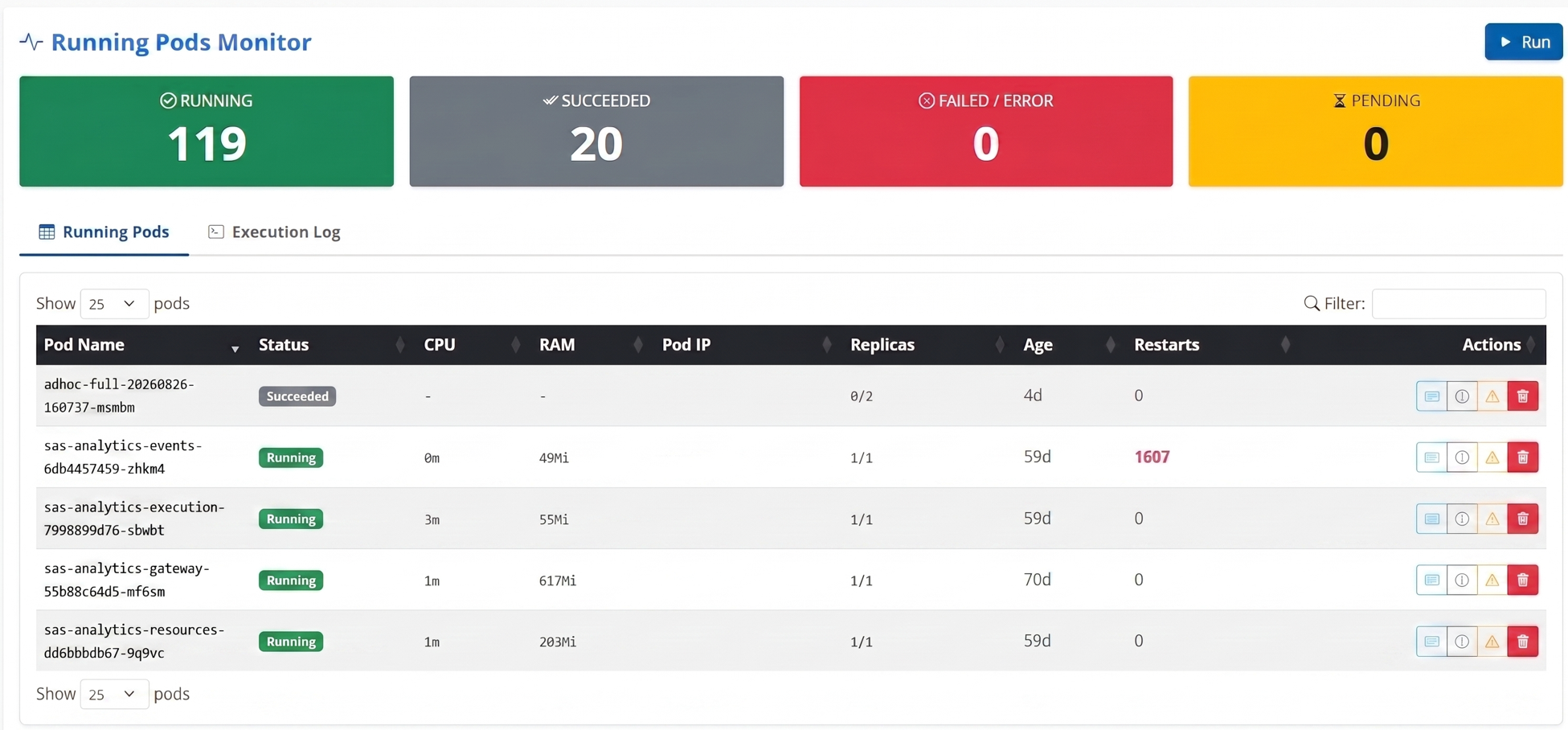
--- The Client Command Executor bridges the browser interface with the underlying OpenShift cluster using asynchronous AJAX communication and automated session authentication. It allows cluster operators and SAS administrators to quickly run diagnostic and read queries without leaving the OpsBuddy console. 1. Automated Session Authentication ( - Before executing any command, the backend dynamically resolves the authenticated user session ( - It invokes - The user never needs to manually authenticate or manage credentials during interactive execution. 2. Smart Prefixing & Namespace Auto-Injection: - Prefix Badges: The input interface visually indicates that - Automatic - Intelligent Namespace Scoping: By default, the active environment's namespace ( 3. Strict Shell Sanitization & Guardrails: - To guarantee complete container security and prevent arbitrary command injection, all inputs are vetted against dangerous shell operators before execution. - Any attempt to use shell chaining, redirection, or subshell expansion triggers an immediate client error and halts execution. --- - Clicking on any command string in the history panel instantly populates it into the input box for modification. - Clicking the adjacent Play button () immediately runs the command in real-time. --- The module enforces strict validation rules in | Operator | Symbol | Enforcement Reason | | :--- | :---: | :--- | | Command Chaining | | Background / AND | | Pipeline | | Backtick Substitution | | File Redirection | | Variable / Subshell | If any of these characters are detected in the input, the request is rejected immediately with an informative alert: > --- The Client Command Executor supports all standard get pods get pods -o wide describe pod sas-logon-app-xxxx-yyyy get services get routes describe route sas-logon adm top pods adm top nodes get events --sort-by=.metadata.creationTimestamp logs sas-cas-server-default-controller --tail=100 get pvc get configmaps get pods -n openshift-monitoring get nodes --- The Client Command Executor works hand-in-hand with other automated administration and monitoring tools available in OpsBuddy: What this module allows you to do: - Live Search & Filter: Instantly search through hundreds of pods in real-time using DataTables. - One-Click Actions: For any given pod, immediately fetch its Logs (with advanced JSON parsing separating Infos/Errors), Describe its configuration, view its recent Events, or securely Delete/Restart it. - Smart Documentation: Hover over any pod name to reveal automated, structural documentation (tooltips) explaining the exact role of that specific SAS Viya microservice. This same architecture applies to the main dashboard, where hovering over any module card displays an in-depth English tooltip describing its functionality.
Client Command Executor
Architecture & Operational Overview
Key Architectural Pillars
00_do_login.sh):$_SESSION['username']) and the current active profile ($_SESSION['active_profile'])./var/www/cmd/00_do_login.sh with the profile configuration and user token (/var/www/conf/tokens/token_), authenticating against the target cluster URL before running the requested command.oc and -n are automatically bound to every query.oc Stripping: If an operator habitually enters oc get pods, the backend automatically strips the leading oc (substr($cmd, 3)), preventing duplicate oc oc command syntax.DEFAULT_NAMESPACE) is automatically injected (-n $DEFAULT_NAMESPACE). However, if an administrator explicitly includes a namespace flag (such as -n kube-system or --namespace=sas-viya), the module intelligently recognizes the flag via regex and respects the custom namespace.User Interface & Features
1. Interactive Command Input Bar
oc (dark badge) and -n (secondary badge) inform the operator of the execution context.autofocus enabled, configured with placeholder get pods and browser autocomplete disabled to prevent stale suggestions.2. High-Performance Terminal Console
65vh scrollable terminal window formatted in monospace font (SFMono-Regular, Menlo, Monaco, Consolas).2>&1), ensuring cluster errors, warnings, and command usage guidance are fully visible.> oc -n ) above the output buffer.navigator.clipboard.writeText) to instantly copy the complete console output buffer for sharing or ticketing.3. Command History Panel
localStorage (oc_cmd_history), persisting across browser sessions and page reloads.
col-md-9) and full-width 12-column (col-md-12) layout.Security Specifications
17_oc_executor.php:; | Prevents executing secondary arbitrary shell commands |& | Prevents spawning background processes or conditional chaining (&&) |\| | Prevents piping cluster data to destructive binaries or network sinks | ` | Prevents subshell code execution |> < | Blocks writing to or reading from local container filesystem paths |$ | Blocks shell variable expansion and subshell syntax ($(...)) |Shell operators (; & | > < $) are not allowed for security reasons.`Common Operational Commands
oc subcommands and flags that do not require shell operators:
`bash`
`bash`
`bash`
`bash`
`bash`
`bash`Complementary Operational Modules
crontab.oc adm top pods metrics to provide a unified grid of pod age, CPU, and RAM consumption.